Cloud sync across all your devices
Start on your computer, continue on your phone, and find your data up to date on Windows, Mac, iPhone and Android.

The leading legal case management solution
A lawyer's day-to-day, more organised than ever.
myLawOffice is a complete cloud platform for managing a law office, designed for lawyers who want full control over their day-to-day work. With offline mode and advanced encryption, you work securely from whichever device you are on.
Apps
Install the app on your computer or phone and have your office with you everywhere — even without internet.
One platform
myLawOffice is not a generic organiser or a simple case-entry system. It is built around the daily needs of legal work, combining organisation, security, synchronisation and smart tools in one platform that follows the way a lawyer actually works.
Manage daily tasks, cases and documents without scattered files, notes, calendars and emails. myLawOffice gathers in one place:
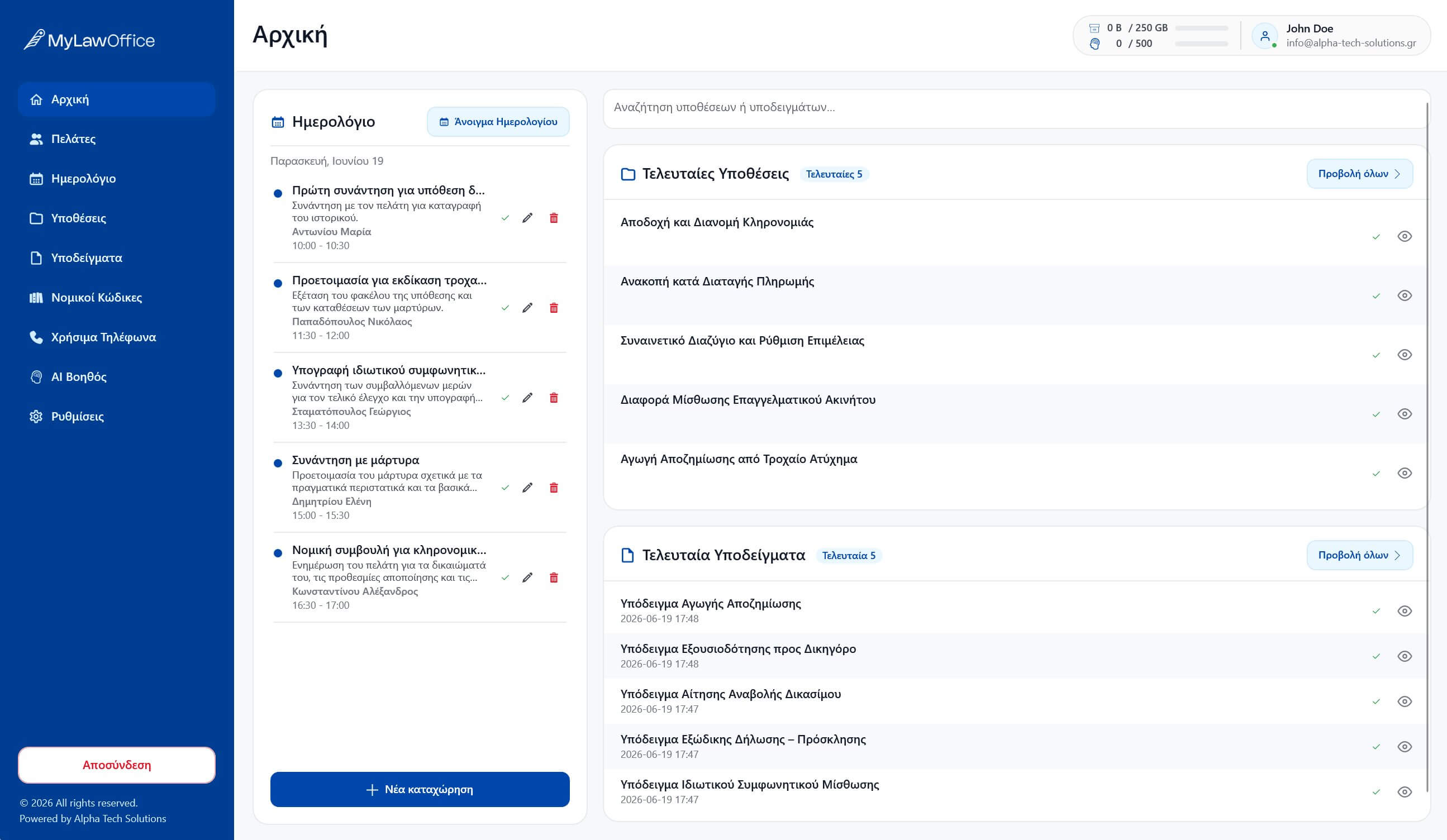
Your office, day to day
Calendar, clients, cases and documents work together: every item is linked to the case it belongs to, so you instantly find what you need.

Calendar
Organise appointments, court dates, deadlines and important dates in a single calendar connected to your cases. Every date can be linked to a specific case or client, so you always have a clear picture of what is pending.

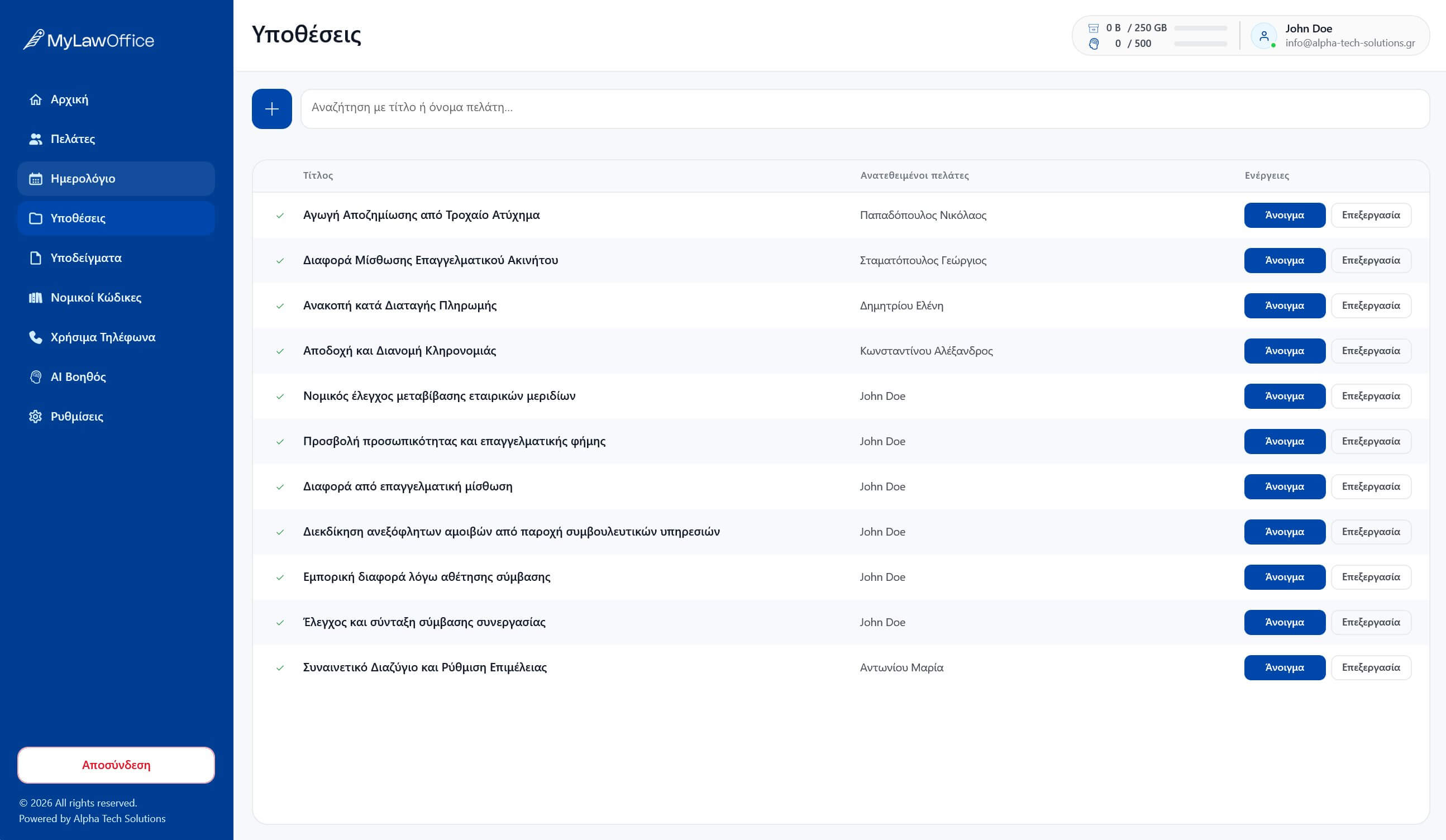
Clients & cases
Every client and every case has its own complete file: documents, court dates, deadlines and notes, organised and visible at a glance. Searching stops eating into the time that belongs to the actual work.

Documents & files
Gather all the documents of every case in one organised, easily accessible place. Upload files, photos and documents from your computer or phone, link them to clients and cases, and find them again quickly when you need them.
Cloud & offline
View and update cases, clients, files and deadlines from the office, the courtroom, home or on the move.
Start on your computer, continue on your phone, and find your data up to date on Windows, Mac, iPhone and Android.
View and edit available data locally on your device. Changes sync automatically as soon as the connection returns.

AI Assistant
The built-in AI Assistant can help create document drafts based on the details of each case. The lawyer always remains responsible for reviewing and finalising the document, and can save useful texts as templates for future use.
Security
A law office's data demands a high level of protection. myLawOffice is designed with confidentiality, secure storage and protected synchronisation at its core.
Pricing
Clear pricing, no hidden costs. Every plan includes the full feature set of the platform — you only choose the storage and AI usage you need.
45.00 €
−20%
36.00 €/ month
Price excl. VAT
Contact us for pricing
Contact us for pricing
Contact us for pricing
myLawOffice is a complete law-office management application, designed specifically for lawyers and law firms. It organises clients, cases, files, deadlines, appointments, court dates, notes and documents in a single platform.
It works on Windows, Mac, iPhone and Android, with data synchronised between your devices.
Yes. You can view and edit available data locally on your device. Changes sync once the connection returns.
myLawOffice uses modern encryption and secure-storage technologies, with an emphasis on protecting sensitive legal data.
PQC, or Post-Quantum Cryptography, is a category of cryptographic technologies designed for increased resilience against future technological threats. myLawOffice employs such techniques as part of its overall data protection.
Yes. You can upload documents, photos and files from your phone and link them to specific clients or cases.
Each case can be linked to one or more clients and can include files, notes, deadlines, a court date, appointments and related documents.
The AI Assistant helps create document drafts based on the details of each case, which the lawyer can review, edit and save as templates.
Yes. myLawOffice suits solo lawyers as well as small and larger law firms.
No. The app is designed to be simple to use, with a clean interface and easy access to the core features.
Contact
Fill in the form and we will get back to you as soon as possible — for a platform walkthrough, pricing or anything else you need.
Call us: +306985892702Create an account in minutes and organise clients, cases and documents from any device.